
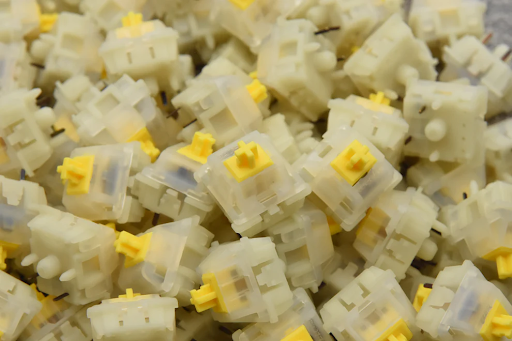
For computer enthusiasts, gamers, and typing professionals, the feel and sound of a mechanical keyboard can significantly impact productivity and enjoyment. One of the most effective ways to enhance the keyboard experience is by lubricating the switches. This guide explores everything you need to know about lubed keyboard switches, including why they matter, how to lubricate them effectively, and their influence on typing and gaming performance. With insights backed by expert knowledge and user experiences, you’ll understand how lubed switches can transform your keyboard usage.
What Are Lubed Keyboard Switches?
Lubed keyboard switches are mechanical switches that have been treated with specialized lubricants to reduce friction between moving parts. Each key press involves a stem sliding against the switch housing, which can create noise and resistance. Applying a proper lubricant smooths the motion, decreases scratchy or sticky sensations, and often reduces unwanted sounds.
There are three primary switch types—linear, tactile, and clicky—each benefiting differently from lubrication. Linear switches, with their smooth and consistent keystrokes, experience the most noticeable reduction in friction. Tactile switches benefit from reduced scratchiness without losing the tactile bump, while clicky switches may be lightly lubed to preserve their distinct click sound while minimizing roughness. For more details on switch types, you can refer to Keychron’s guide on keyboard switches.
Why Should You Lube Your Keyboard Switches?
Lubricating switches provides several benefits that enhance both the feel and performance of your keyboard. Users often report smoother keypresses, quieter typing, and a more premium typing experience. Gamers particularly benefit from reduced friction and faster key actuation, which can improve in-game responsiveness. Professionals who type for long hours may find lubed switches reduce finger fatigue and improve comfort.
According to a community survey on Kinetic Labs, nearly 78% of enthusiasts who applied lubrication noticed a significant improvement in typing smoothness, and 65% reported quieter keystrokes. Lubed switches also help minimize irregularities in keypresses caused by manufacturing inconsistencies, providing a more uniform typing experience.
Overall, lubrication is a low-cost modification that can elevate the keyboard experience, whether you are a gamer, programmer, or general user.
How to Lubricate Keyboard Switches Effectively?
Properly lubricating switches involves preparation, the right materials, and patience. Here’s a step-by-step guide:
- Disassemble Your Keyboard: Remove the keycaps and, if possible, take out the switches. Hot-swappable keyboards make this process easier.
- Choose the Correct Lube: Use switch-specific lubricants, such as Krytox 205g0 for linear switches or Tribosys 3204 for tactile switches. Avoid general-purpose oils.
- Apply Lube Sparingly: Use a fine brush to apply lubricant to the stem rails, slider, and spring. Avoid over-lubing, which can dampen responsiveness.
- Reassemble the Switch: Place the components back together carefully. Test the keystroke to ensure smooth operation before full assembly.
- Final Keyboard Assembly: Reattach keycaps and test each key. Minor adjustments may be needed for even lubrication.
Some users prefer “film lubing” for tactile switches to preserve the bump while reducing scratchiness. Always test on one switch first and adjust the amount of lubricant for optimal feel.
What Types of Lubes Are Best for Different Switches?
Different switches require different lubrication approaches. Here’s a helpful table:
| Switch Type | Recommended Lube | Effect |
| Linear | Krytox 205g0, Tribosys 3204 | Smooth keystroke, reduced friction, quieter typing |
| Tactile | Tribosys 3204, Krytox 105 | Preserves tactile bump while reducing scratchiness |
| Clicky | Light Krytox 105 or minimal lubrication | Reduces scratchiness while maintaining click sound |
Proper lube selection ensures optimal typing feel and prevents over-dampening of the key feedback. For in-depth reviews of switch types and their characteristics, refer to Kinetic Labs’ guide.
How Do Lubed Switches Affect Typing and Gaming Experience?
Lubed switches significantly enhance the user experience across scenarios. Typists report a more consistent and comfortable keypress, especially during long typing sessions. Gamers notice faster and smoother key actuation, which can provide subtle performance advantages in fast-paced games.
Beyond performance, lubed switches reduce high-pitched clatter and harsh feedback, creating a quieter and more pleasant environment for shared workspaces. User reviews indicate that even mid-range mechanical keyboards feel premium after proper lubrication.
Whether typing reports, coding, or gaming, lubed switches create a tactile satisfaction and reduce fatigue. Anecdotal evidence from keyboard enthusiasts on forums such as Reddit and Geekhack confirms that a modest investment in lubrication can substantially improve the daily experience.
Conclusion
Lubing your keyboard switches is a practical modification that benefits both typing comfort and gaming performance. By selecting the appropriate lubricant and applying it correctly, you can transform the feel of your mechanical keyboard, making every keystroke smoother, quieter, and more enjoyable. For users seeking a premium typing experience without replacing hardware, lubed switches are a highly recommended upgrade.
FAQs
Can I lube all types of keyboard switches?
Most mechanical switches can be lubed, but clicky switches require minimal lubrication to preserve their characteristic sound.
How often should I re-lube my keyboard switches?
Frequency depends on usage; heavy users may re-lube every 12-18 months, while casual users might do so every 2-3 years.
Will lubing switches void my keyboard warranty?
Some manufacturers may consider disassembly a warranty violation. Check your keyboard’s warranty terms before lubing.
About the Author